
TIME-LAPSING

Show a month of work in a minute

Set your cameras to take photos as often as every minute, save them to photo albums, and set up time-lapses that build automatically as the project goes. Every day of the project is on record without anyone stopping to take a picture.

  • Included with all plans
  • Up to 8K photos
  • Share with owners and teams
WHAT'S INCLUDED

More than a progress photo

Capture the site on your schedule, build time-lapses in a few clicks, and show anyone exactly how far the project has come.

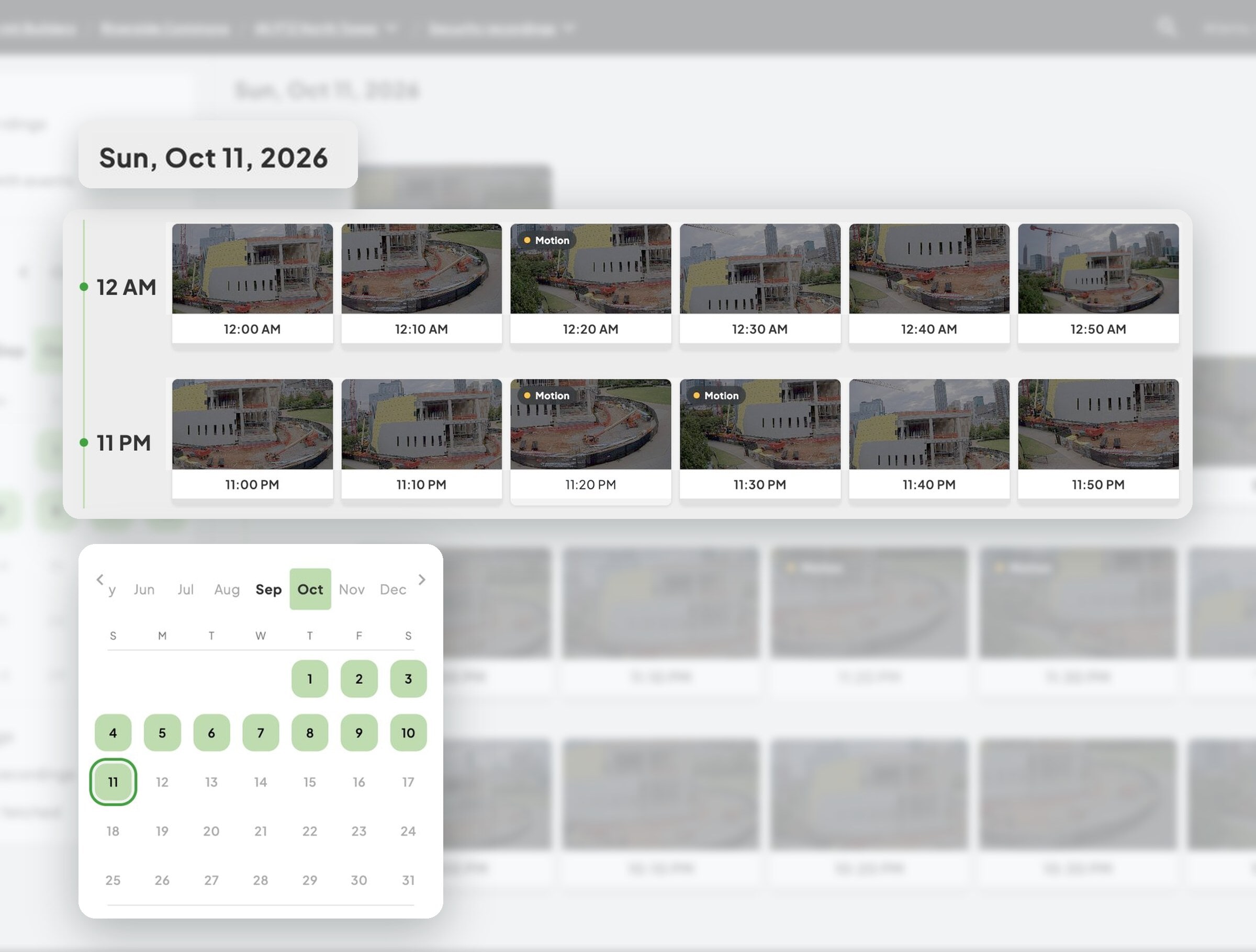
Automatic photos ​on the schedule you set

Set each camera to take photos as often as every minute and save them to photo albums by date. Choose from 2K, 4K, and 8K cameras for detail you can zoom into.
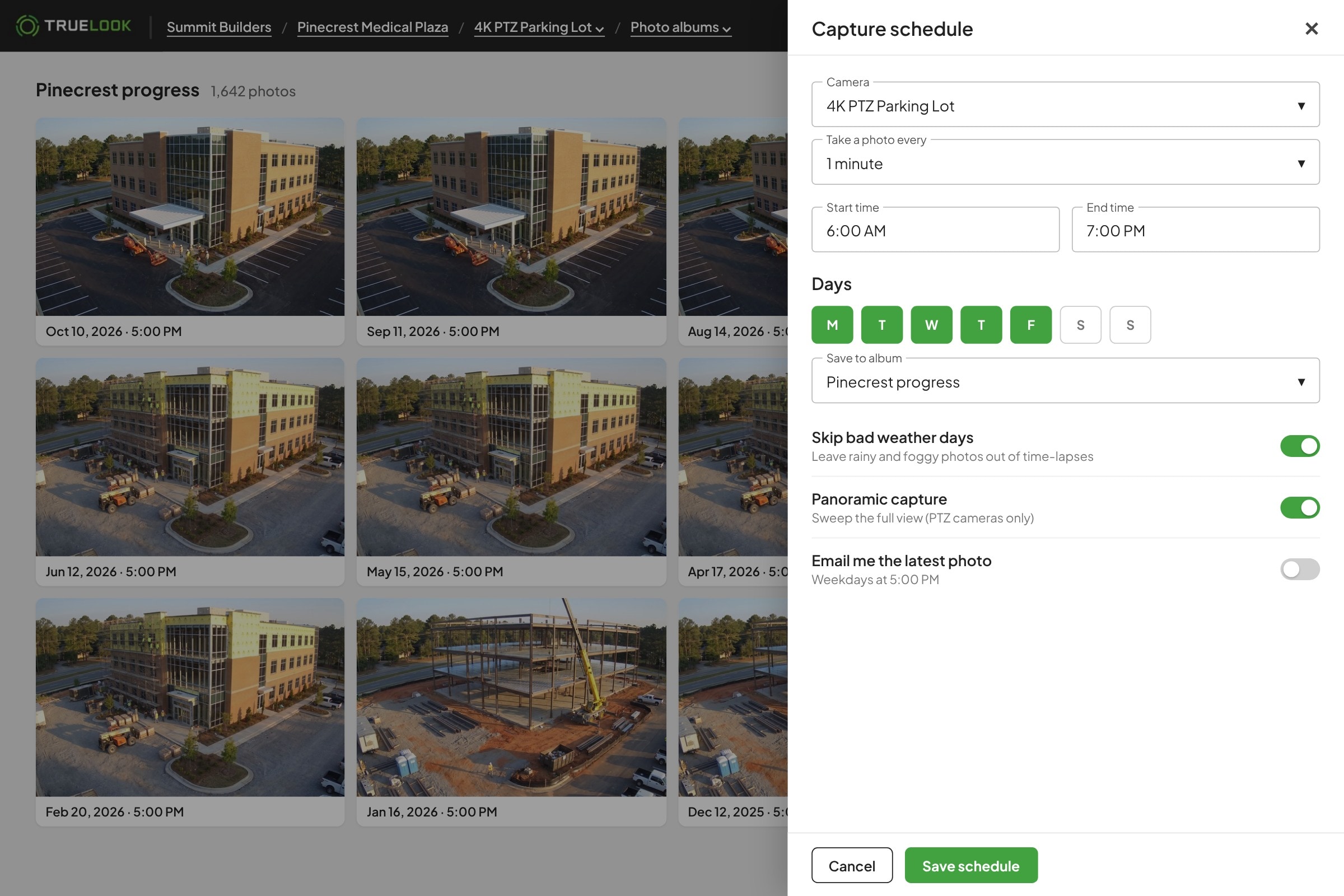
TrueLook photo album and capture schedule set to every minute
Time-lapses for ​any date range you choose

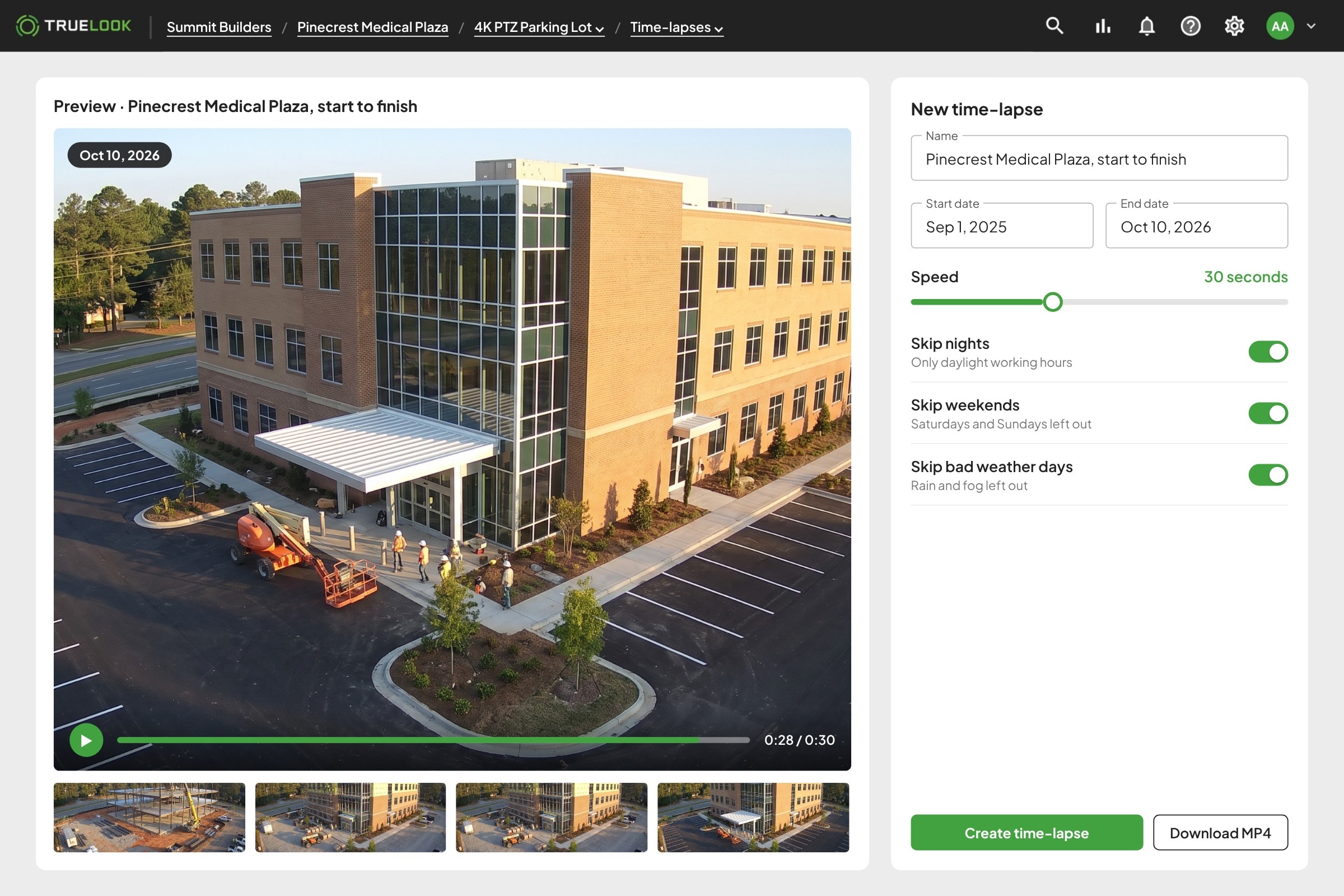
Pick the dates and the speed, and skip nights, weekends, or bad weather days so the video only shows the work. Download it as an MP4 when it’s ready. The number of time-lapses you can run depends on your plan.

Creating a TrueLook time-lapse with date range, speed, and skip nights, weekends, and bad weather
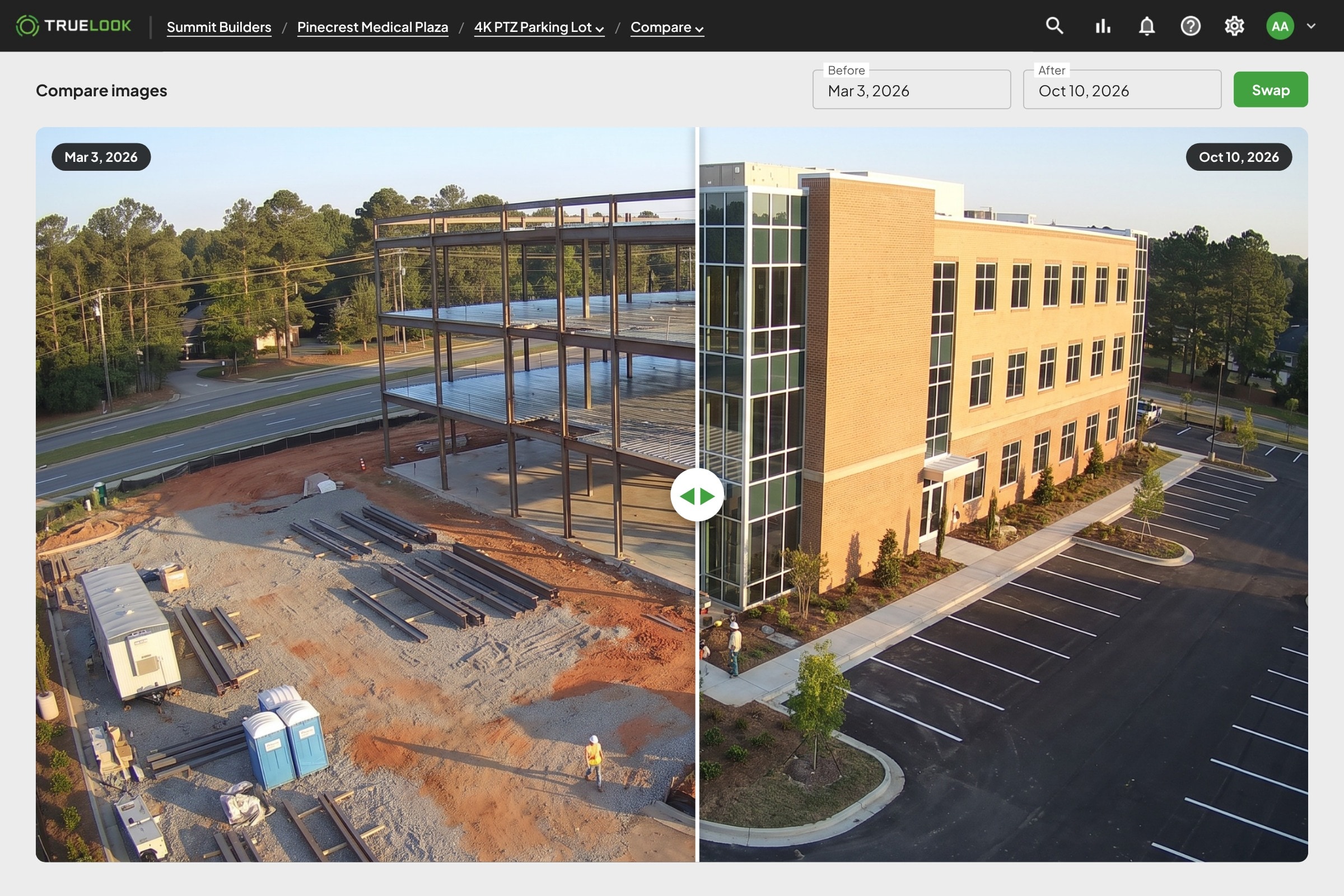
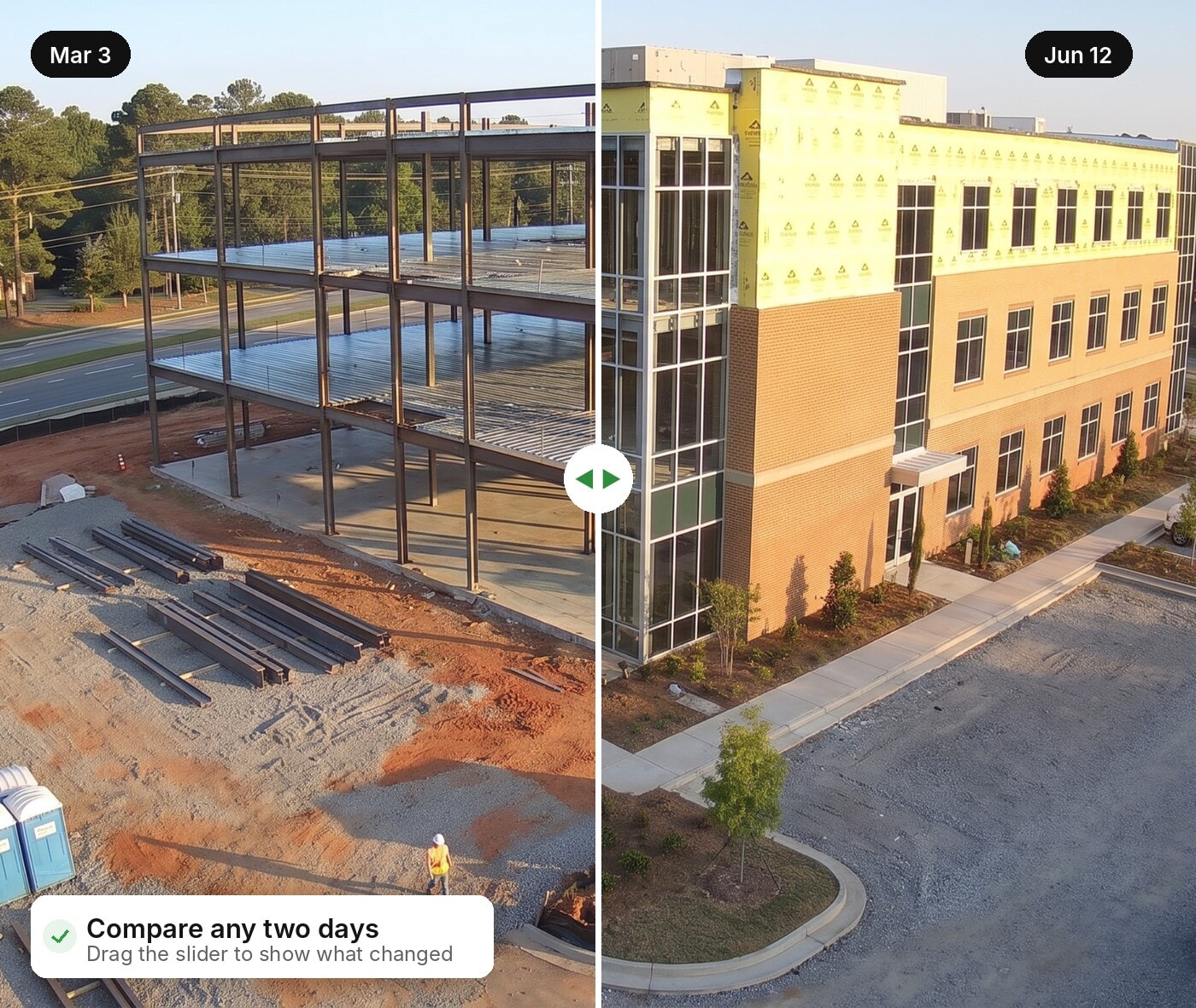
Compare any two days ​with a simple slider

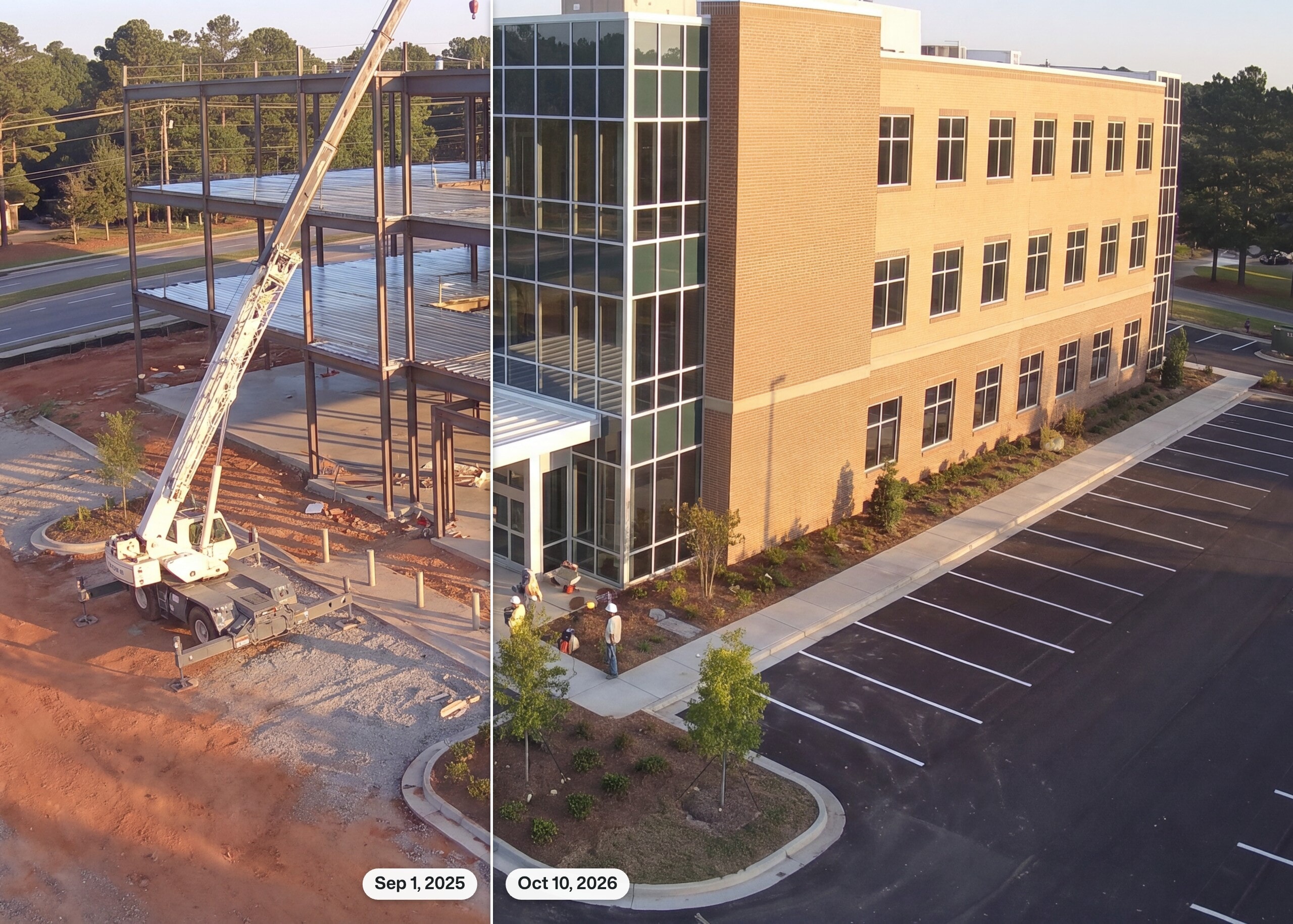
Overlay two photos from the same camera and drag the slider to see exactly what changed between them.

TrueLook image comparison slider showing a jobsite months apart
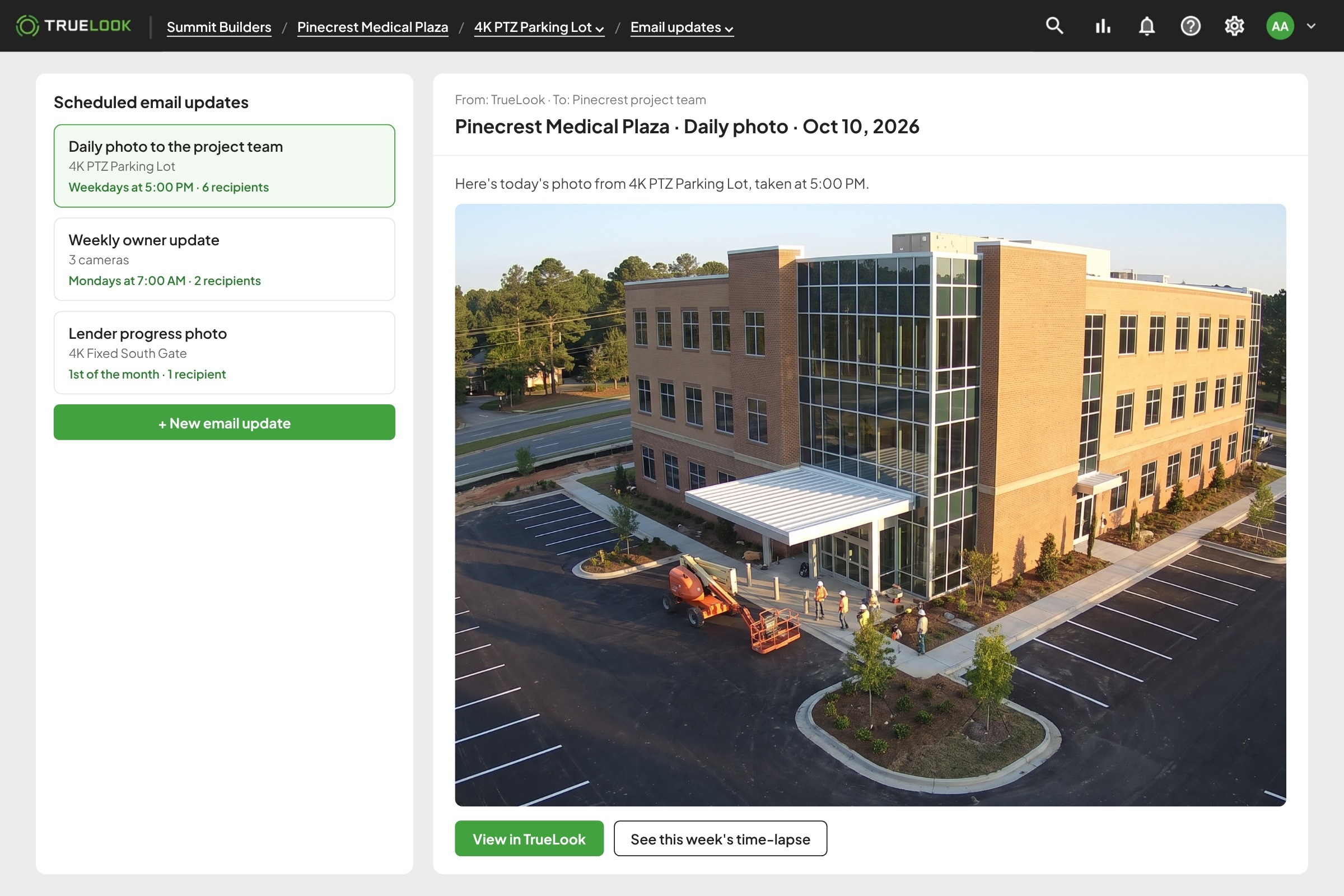
Get the latest photo ​in your inbox on a schedule

Schedule automated email updates that send a fresh photo from your cameras, so you and the owner see progress without logging in.

Scheduled TrueLook email update with the latest jobsite photo
ADD-ON
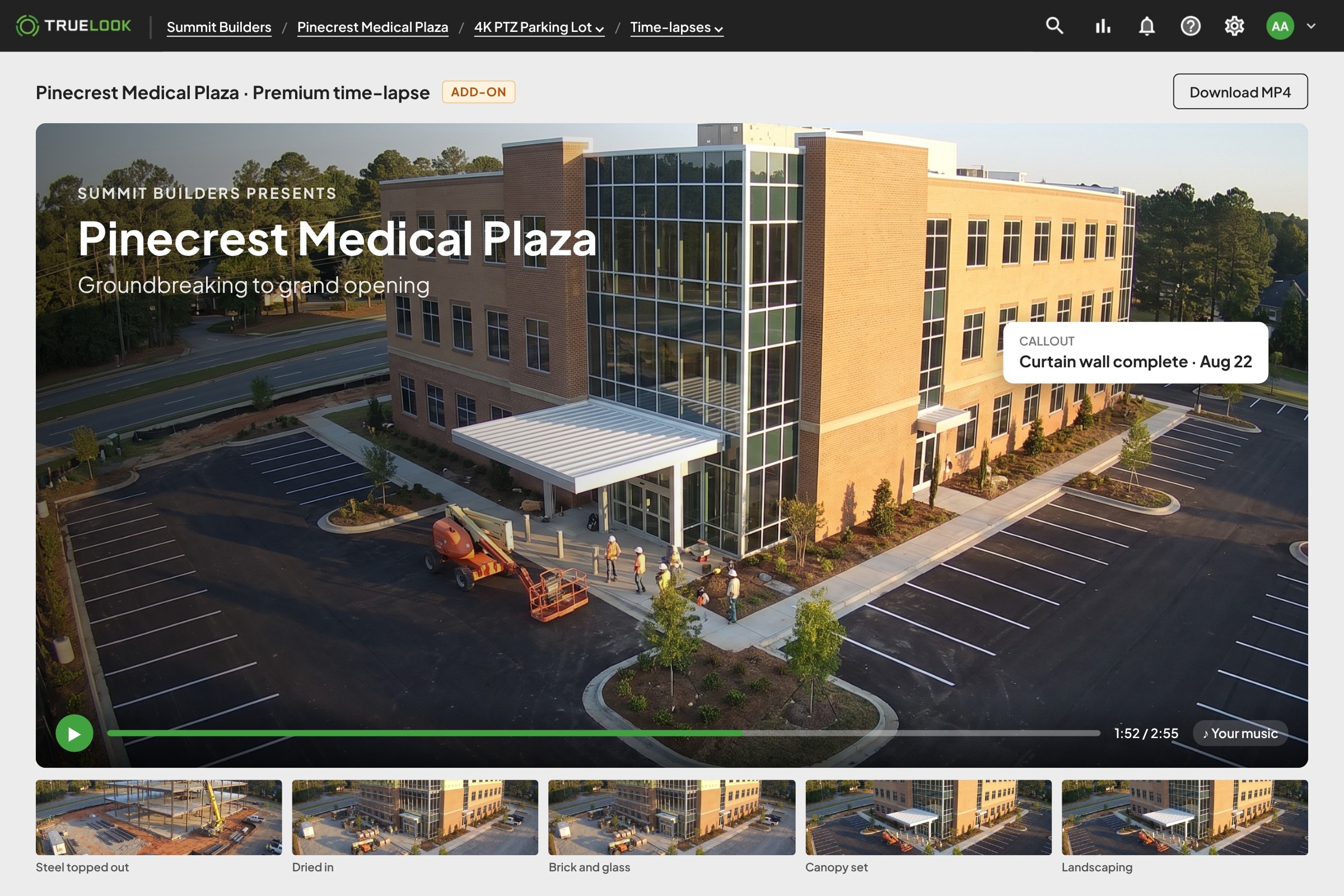
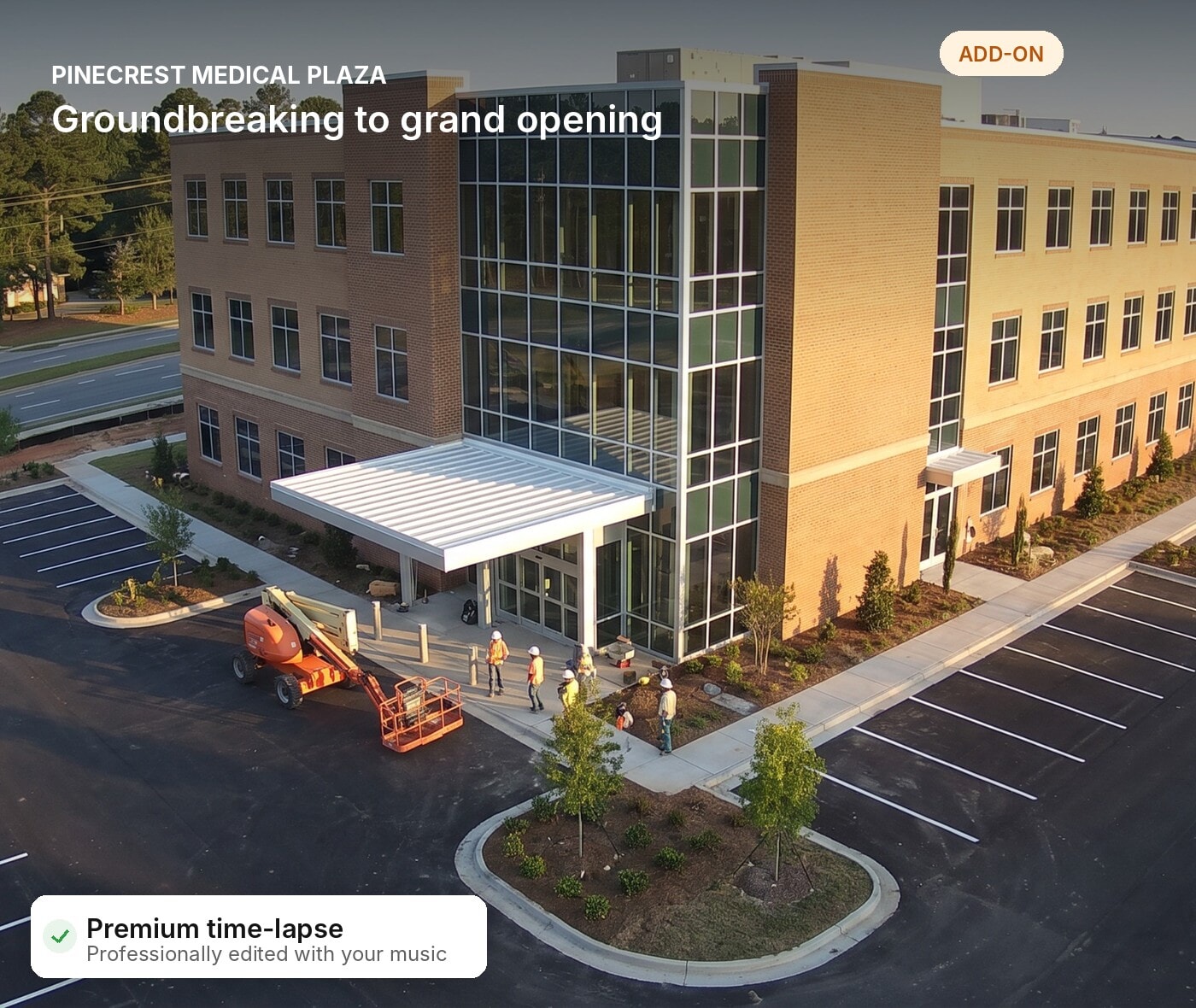
A premium time-lapse ​for the big reveal

At the end of the project, a professional editor turns your photos into a polished time-lapse with your own music and callouts. Premium plans include one.

Professionally edited TrueLook premium time-lapse with title and callouts
Monday 7:00 AM · OAC meeting

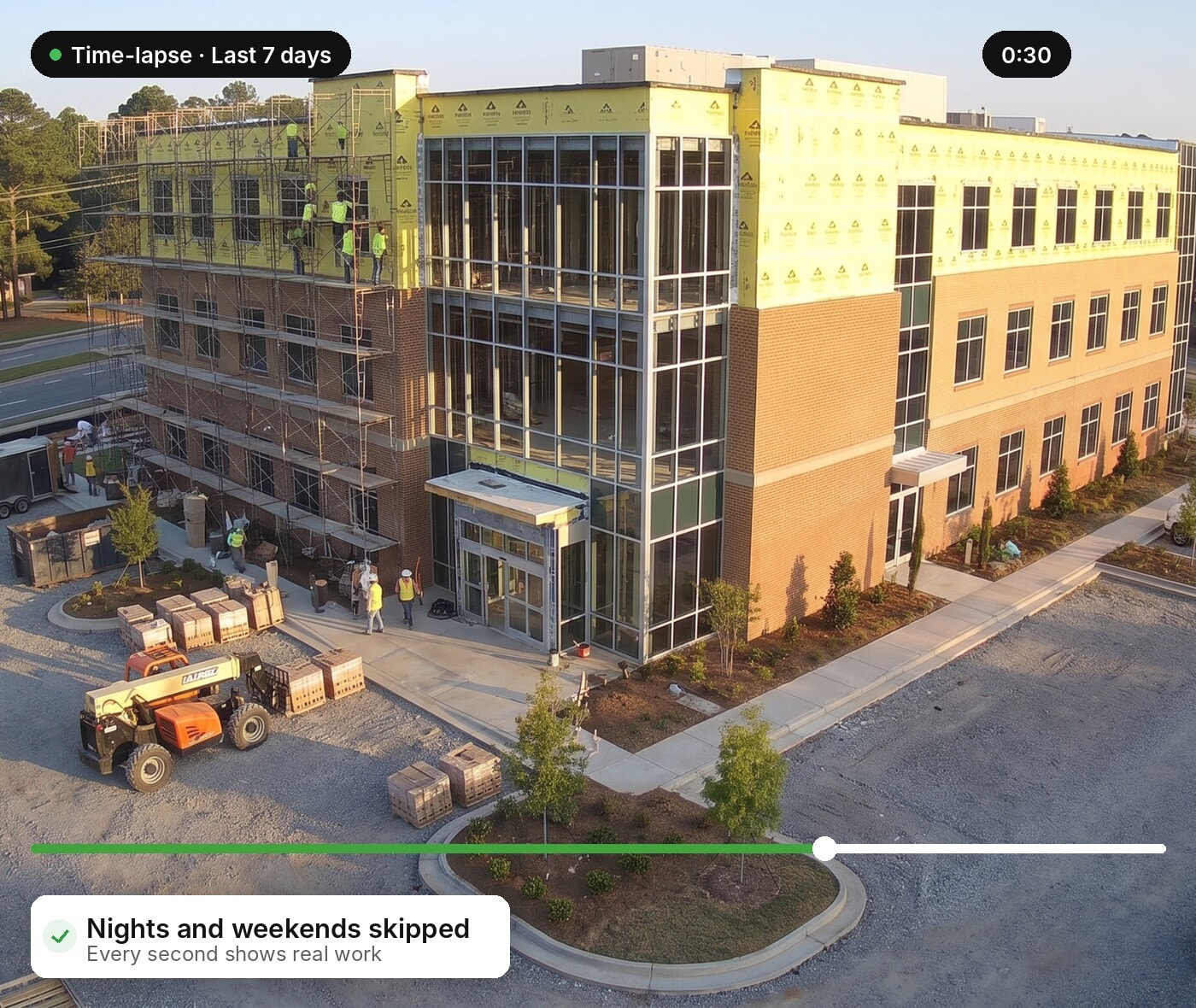
Show the owner ​last week in 30 seconds

Before the owner asks how the week went, you play a 30-second time-lapse of it. Nights and weekends are skipped, so every second shows real progress.

  • Skip nights and weekendsOnly the hours your crews are working.
  • Any date rangeLast week, last month, or the whole project.
  • Download as MP4Drop it into a deck or an email.
30-second TrueLook time-lapse of the past week with nights and weekends skipped
Month-end · Pay application

Back up the pay app ​with a photo from every day

The owner’s rep wants to see the work before approving the pay app. Pull dated photos from the album and slide between the first and last day of the month.

  • Photos saved by dateEvery capture is organized and easy to find.
  • Side-by-side comparisonSlide between two days to show what changed.
  • Up to 8K photosZoom in on the work that matters.
TrueLook comparison of two jobsite photos for a pay application
Ribbon cutting · Premium time-lapse

Hand marketing a video ​worth showing at the ribbon cutting

The project is done and the owner wants something to show off. A professional editor turns the whole build into a polished time-lapse with your music and callouts.

  • Professionally editedBuilt from your full photo record.
  • Your music and calloutsHighlight milestones, teams, and key moments.
  • Panoramic optionsPTZ cameras can capture panoramic time-lapses.
Premium TrueLook time-lapse of a finished building for a ribbon cutting

WORKS ANYWHERE

Check on progress ​from wherever you are

Keep project documentation moving whether you’re at the jobsite, in the office, or on another project.

Hard hat icon
On the Jobsite

Open TrueLook in your phone’s browser or the TrueLook app for iOS and Android to pull up live view, time-lapses and photo albums from the truck.

Office building icon
In the Office

Open the same platform in any browser on your laptop or desktop, with every jobsite in one dashboard.

Wireless signal icon
No Jobsite Wi-Fi Needed

Cameras run on built-in 4G LTE and can also connect over Wi-Fi, Ethernet, or satellite, so capture never stops.

REAL RESULTS

Real feedback from real jobsites

From project managers to owners, hear from the people who rely on TrueLook every day.

Must-Have Tool

“Fantastic tool to track progress, and protect our clients’ investment.”

Colin Miller | Director of Field Operations

One-Stop Shop

We were losing time and money driving to jobsites just to check in, and struggling to share milestones with owners and stakeholders. The integration became our one-stop shop.

JD Coffee | Project Executive

Reduced windshield time

“These cameras allow for constant progress status and check-ins remotely without having to make long, time-consuming drives.”

Brandon Thompson | Sr. Manager

Ready to use

WOW! Over the past 2 years we have utilized the TrueLook view and never once did we have a problem with the system.

Tim Seary | Superintendent

FAQ

What teams ask about​ time-lapsing

A construction time-lapse camera takes photos of your jobsite on a schedule and turns them into time-lapse videos. TrueLook cameras save every photo to albums by date, so you have a complete visual record from groundbreaking to closeout.